Level Up Your Party: The Ultimate Retro Arcade Invite
Planning a children’s birthday party often feels like juggling too many power-ups at once. Between the venue, the cake, and the guest list, the invitation can sometimes feel like an afterthought. However, the invitation is the first glimpse your guests get of the event's vibe. If you are aiming for a nostalgia-fueled bash that appeals to both kids and their parents, a Retro Arcade Game Kids Birthday Invite is the perfect way to set the tone. It signals high-energy fun, bright colors, and a competitive spirit before the first balloon is even blown up.
The Nostalgia Factor in Modern Design
There is a reason pixel art and 8-bit aesthetics have never truly gone out of style. They bridge the gap between generations. For adults, it recalls the golden age of coin-operated machines and joystick mastery. For kids, it feels like a stylistic adventure distinct from the smooth, glossy graphics of modern apps. This specific design style taps into that universal appeal, making it a versatile choice for a theme that everyone can get excited about.
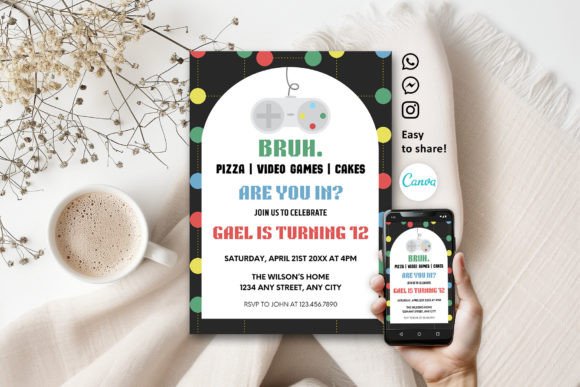
Visually, this type of template relies on bold, blocky typography and saturated color palettes—think electric blues, neon pinks, and vibrant yellows. It is a design language that screams "fun" instantly. By utilizing a template that embraces these elements, you ensure that your invite doesn't just sit in a pile of mail; it stands out as a piece of visual communication that demands attention.
Transforming a Template with Free Tools
One of the biggest hurdles in party planning is budget. Custom graphic design can be expensive, but you don't need a professional degree to create professional results. The beauty of using a platform like Canva is the accessibility. You are provided with a PDF containing a direct link to an editable template, allowing you to bypass the blank canvas anxiety entirely.
Once you open the file, the customization options are vast. This isn't just about changing the date and time. You have full control over the typography. If the default pixel font doesn't match your specific "space invaders" or "pac-man" sub-theme, you can swap it out. You can adjust the kerning, change the weight, and alter the color of the text to match the birthday child's favorite shade. The drag-and-drop interface means you can upload your own images—perhaps a photo of the birthday star edited to look like a video game character—and place it seamlessly into the design.
Practical Applications Beyond the Party
While the primary use case is undoubtedly a party invitation, the design principles behind this asset are applicable to a wide range of creative projects. If you are a small business owner or a content creator, understanding how to leverage this "retro" aesthetic can open up new avenues for your brand identity.
- Merchandise and Packaging: If you sell stickers, enamel pins, or apparel, a retro arcade theme can be a powerful branding tool. It suggests a playful, approachable brand personality. Using these graphics on packaging inserts can delight customers and encourage social media sharing.
- Social Media Engagement: Instagram and TikTok algorithms favor content that stops the scroll. A neon, 8-bit style graphic is visually distinct from the standard influencer aesthetic. It can be used for "Save the Date" posts, flash sale announcements, or interactive stories where followers guess the game.
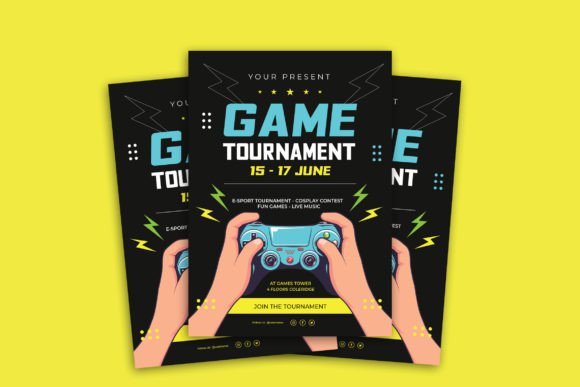
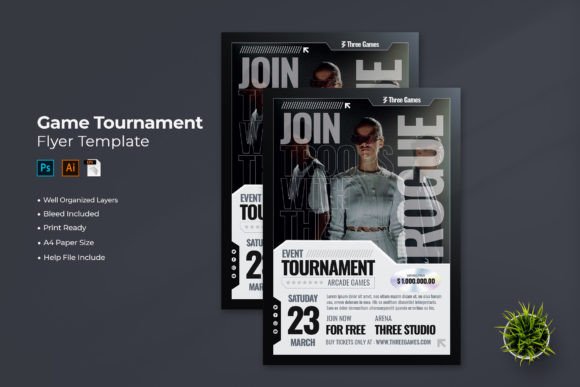
- Event Branding: If you are organizing a community fundraiser, a gaming tournament, or a themed night at a local bar, consistency is key. You can use this template style to create a cohesive set of assets: posters for the walls, digital banners for the website, and name tags for the staff.
Mastering Typography and Visual Hierarchy
When working with a Retro Arcade Game Kids Birthday Invite, the typography does more than just convey information; it acts as a texture. The blocky nature of pixel fonts can be challenging to read if used improperly. A key piece of advice for any designer or DIYer is to focus on visual hierarchy.
Use the stylized, decorative font for the headline—"Player One Ready" or "Insert Coin"—but switch to a clean, legible sans serif font for the details like the address and RSVP information. This contrast ensures that the invite is functional as well as beautiful. In Canva, you can easily add new text boxes to create this separation, ensuring your guests aren't squinting to figure out where the party is.
Ensuring Professional Quality and Usability
There is a distinct difference between a DIY project that looks homemade and one that looks professionally designed. The difference often lies in the technical execution of the print file. This template includes options for crop marks and bleed, which are essential for professional printing. If you send a file to a print shop without bleed, you risk having white edges on your final product due to slight cutting variations.
By offering multiple download formats—PDF for home or pro printing, JPG for standard use, and PNG for digital sharing—the workflow accommodates every need. If you are emailing the invites, a PNG with a transparent background can be layered over a patterned email template. For physical prints, the PDF ensures the colors remain true to the screen.
Finalizing Your Creative Vision
The goal of any design asset is to reduce friction in your creative process. Whether you are a parent throwing a memorable bash or a marketer looking for a fresh visual direction, having a fully editable, high-quality starting point saves time and money. It allows you to focus on the message rather than the mechanics of layout.
So, power up your laptop or grab your phone. With a free Canva account and a few clicks, you can transform a standard template into a personalized masterpiece. The "Game Over" screen is optional, but a successful party is guaranteed when the invitation sets the stage for an epic adventure.